

iFelix Logo
line

How do I find my Mac (OS X) shortname?

In order to find out your Mac (OS X) open System Preferences...

In order to find out your Mac (OS X) open System Preferences

Click Accounts

Click Accounts

Select your account and you will be able to see the shortname for that account. In this example the Roger Rabbit account's shortname is rogerrabbit
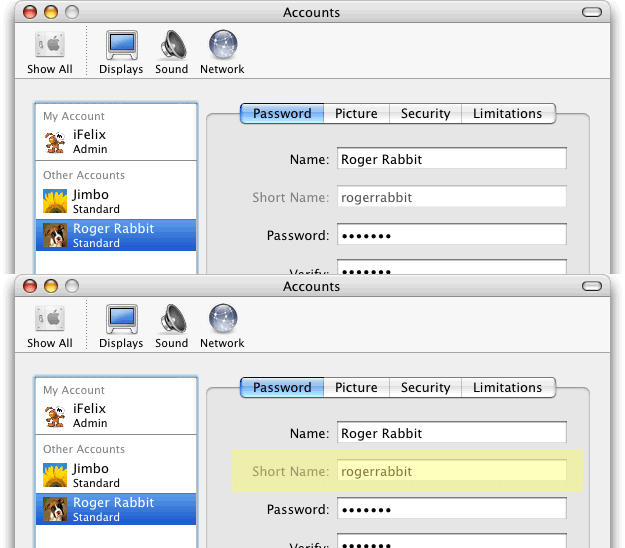
Select your account and you will be able to see the shortname for that account.

This screenshot is from 10.3, but the 10.4 version is here.

Creating a new user account on Windows XP

iFelix Blog

Read the iFelix Blog

Up to 8Mb broadband from just £9.99 a month. PlusNet broadband.


This document was last updated on the 8 December, 2007

Useful Links

"Well Known" TCP and UDP Ports Used By Apple Software Products

Home - Airport - Software - Hardware - Mac OS X Tiger - Mac OS X Leopard - Windows XP - Windows Vista - Wireless - Bluetooth - Video - Store - Blog

Content Copyright ©2004-2007 iFelix