

Creating a new user account on Windows XP
In order to share files with a Mac it is useful to have a Windows account with a username and a password. It can make life even easier if the Windows account username and password match the Mac account shortname and password. How do I find my Mac (OS X) shortname?
Start -> Control Panel
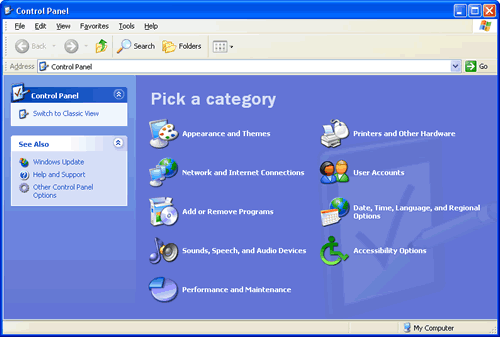
This screenshot shows the Control Panel in Category View, notes for people who use Classic View.
Click User Accounts

You should now see this screen.
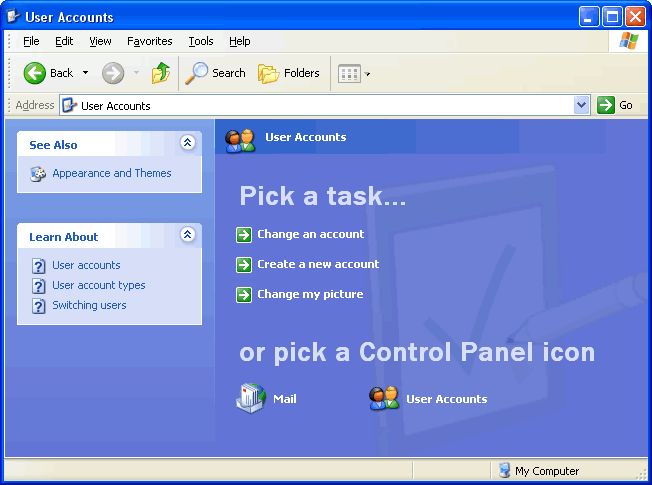
Select Create a new account

For the Type a name for the new account: choose an account name which contains no spaces. It can make life even easier if the Windows account username matches the Mac account shortname.

Click Next

Though you can have this account have Computer administratio rights, it is probably best to make it a Limited account type.
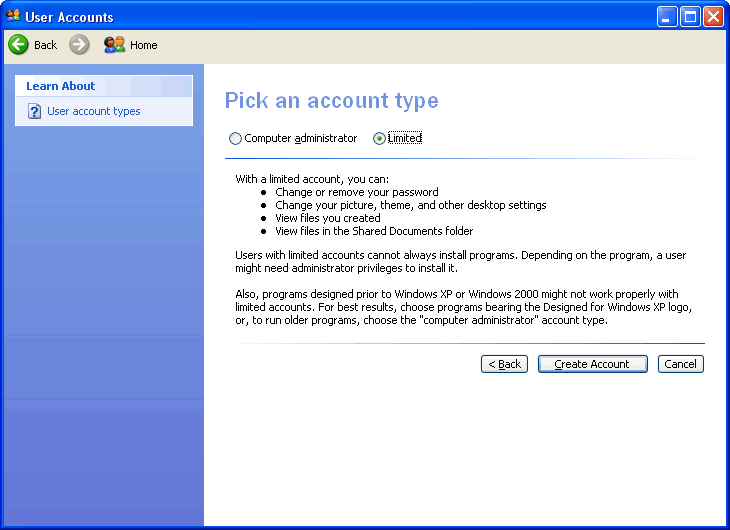
Click Create Account
Now you will need to create a password for this account.
Classic View
If you use Classic View click the User Accounts icon.

Then you can pick a task and follow the instructions above.